

Basic Bedroom to Modern Bedroom
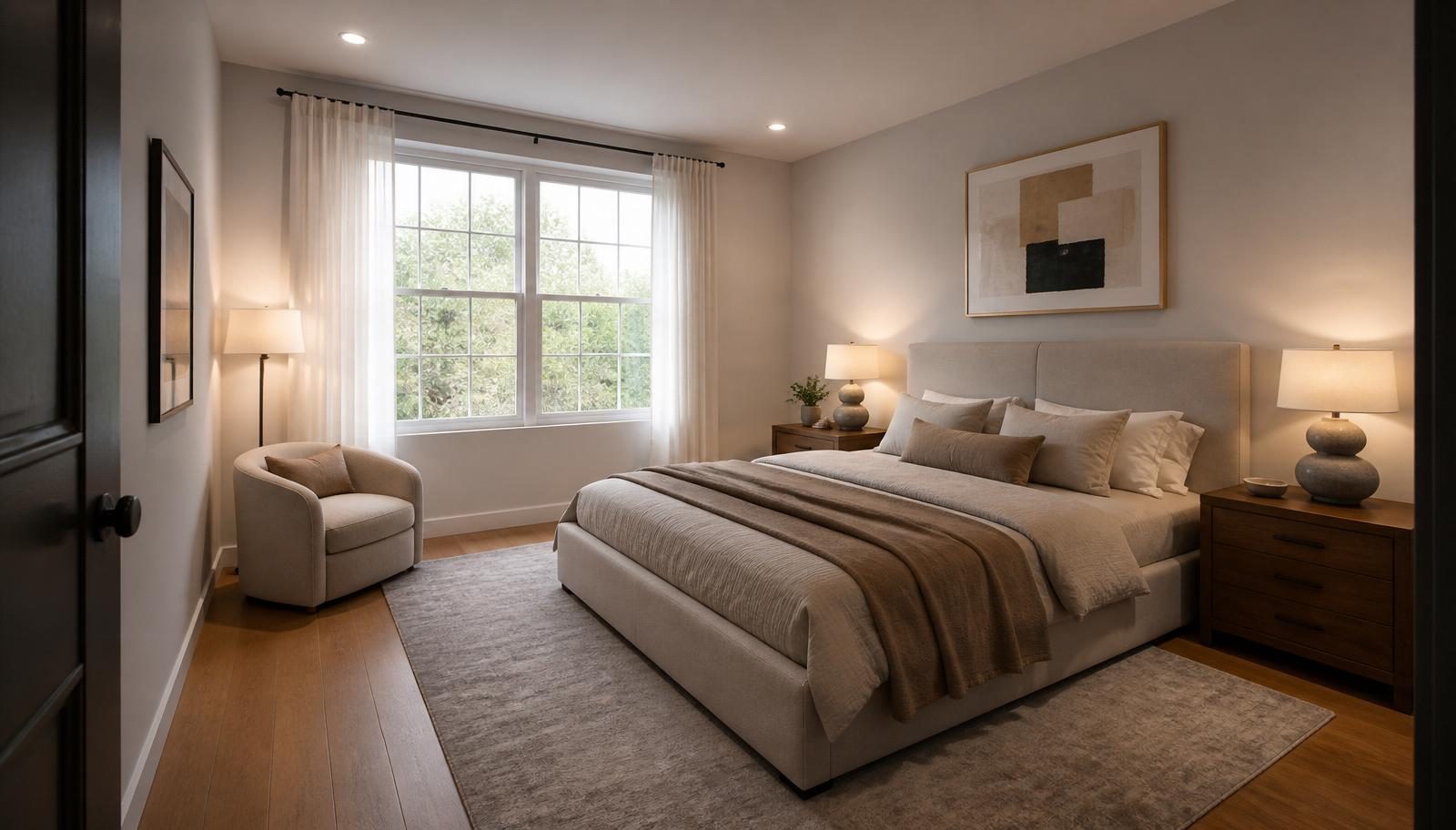
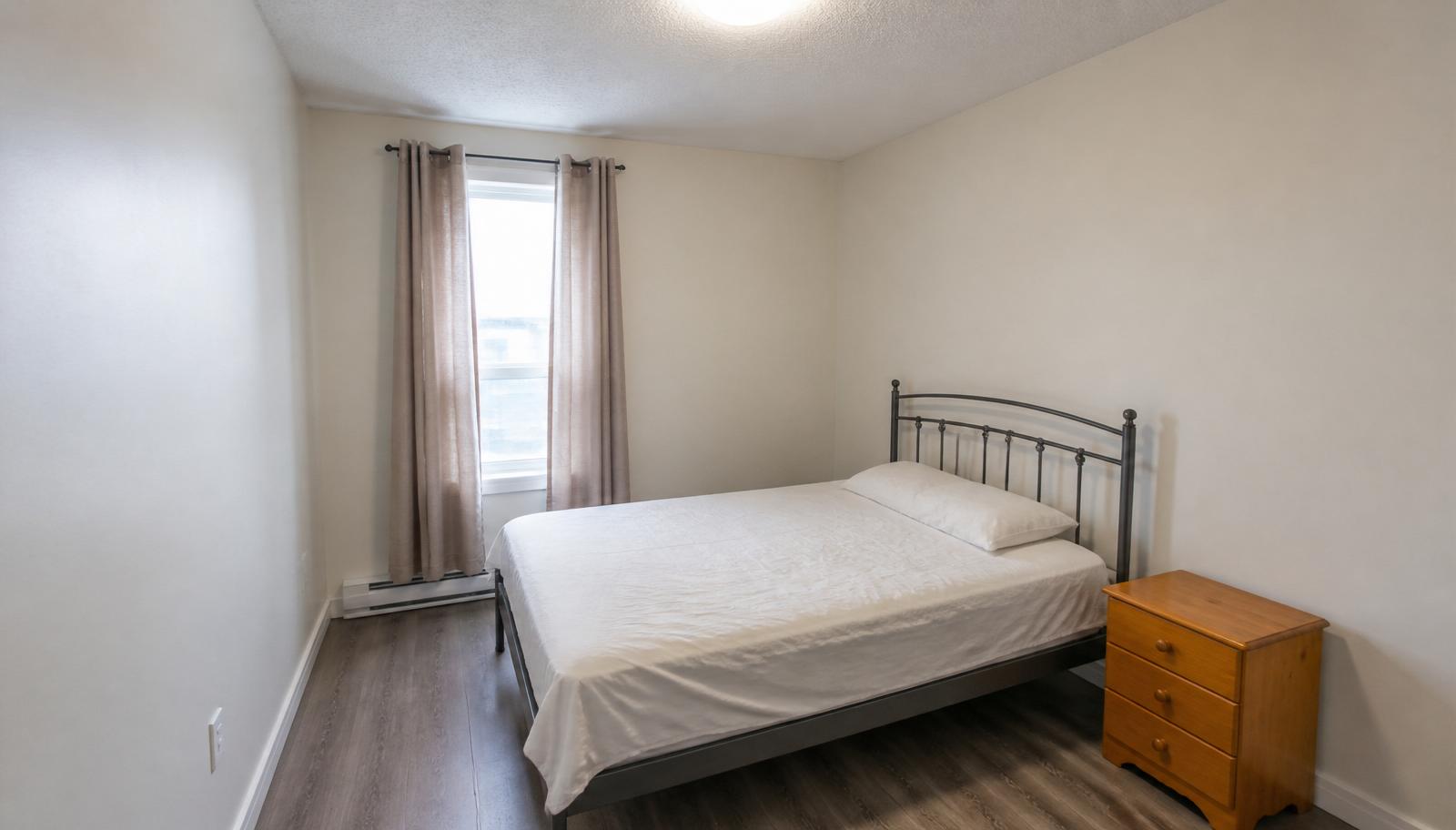
A simple functional bedroom transformed with a modern bed, coordinated bedside tables, refined neutral colors, layered lighting, a rug, artwork and contemporary decor.
Before
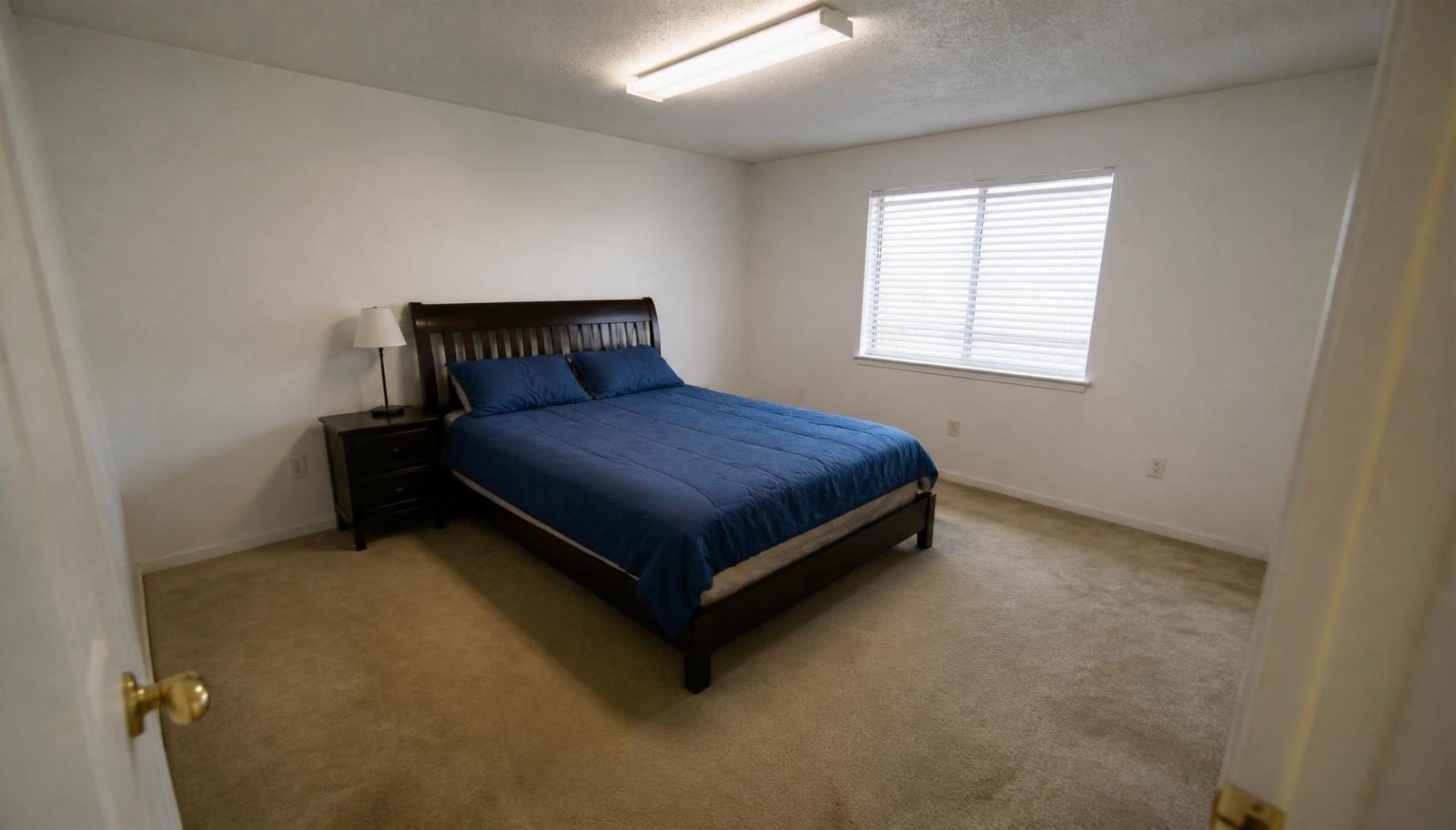
After
Upload a photo of your bedroom and explore a personalized AI redesign. Choose your style, furniture, colors, materials, lighting, flooring, walls and decor to create a photorealistic bedroom concept.
Upload a bedroom photo
Drag and drop, or click to browse
JPG, PNG or WEBP. Up to 12 MB. A wide photo from the doorway or a corner works best.
Your uploaded photo remains the primary reference for room architecture and proportions.
Default keeps the bed in place. The AI avoids blocking doors, walls or essential circulation.
The AI avoids wardrobes that block windows, doors or the bed. Walk-in wardrobes are only used where the visible room realistically allows them.
When an accent wall is added, it is usually placed behind the bed and never covers windows or doors.
Explore bedroom design ideas across modern, luxury, Scandinavian, Japandi, industrial and warm contemporary styles.
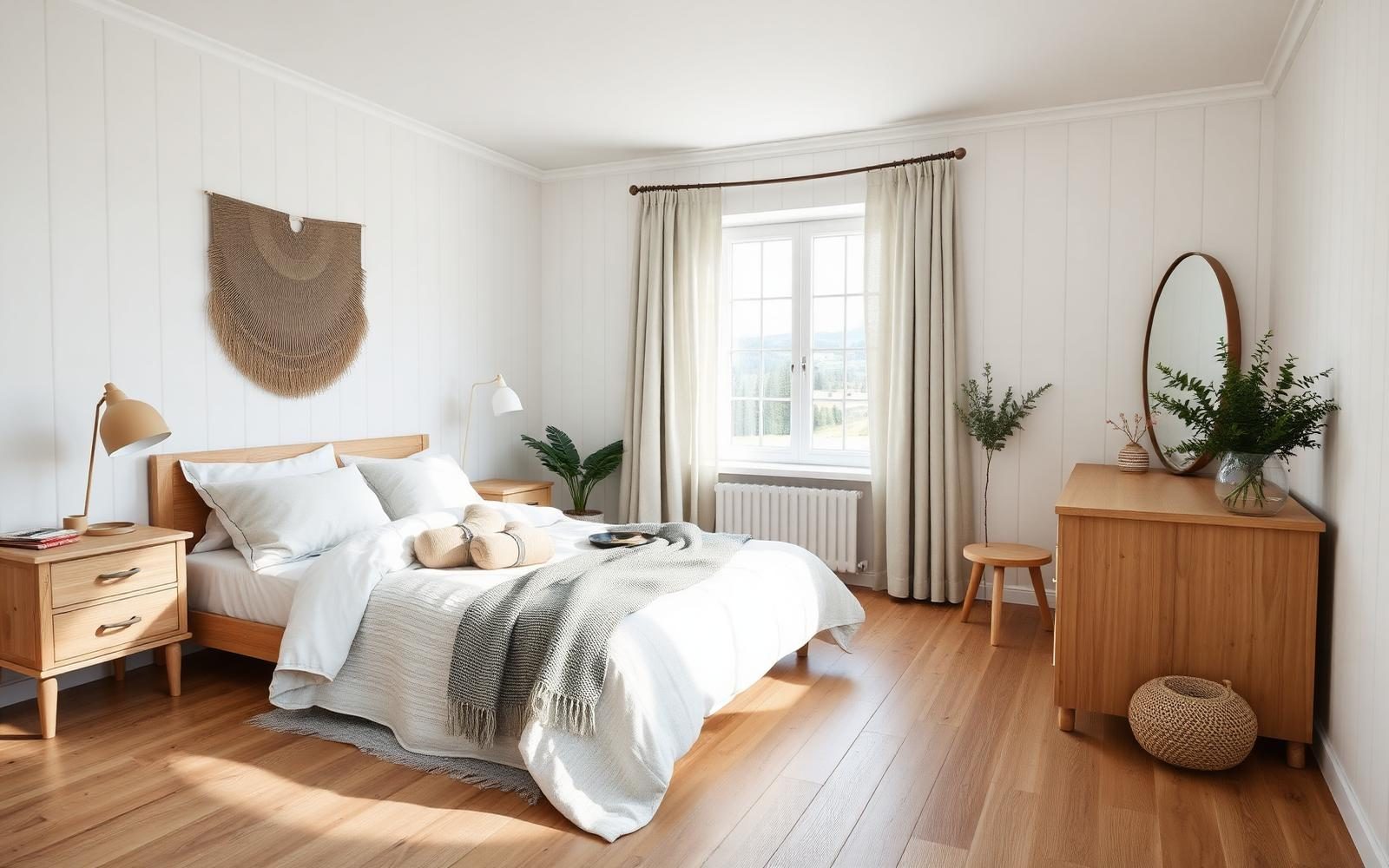
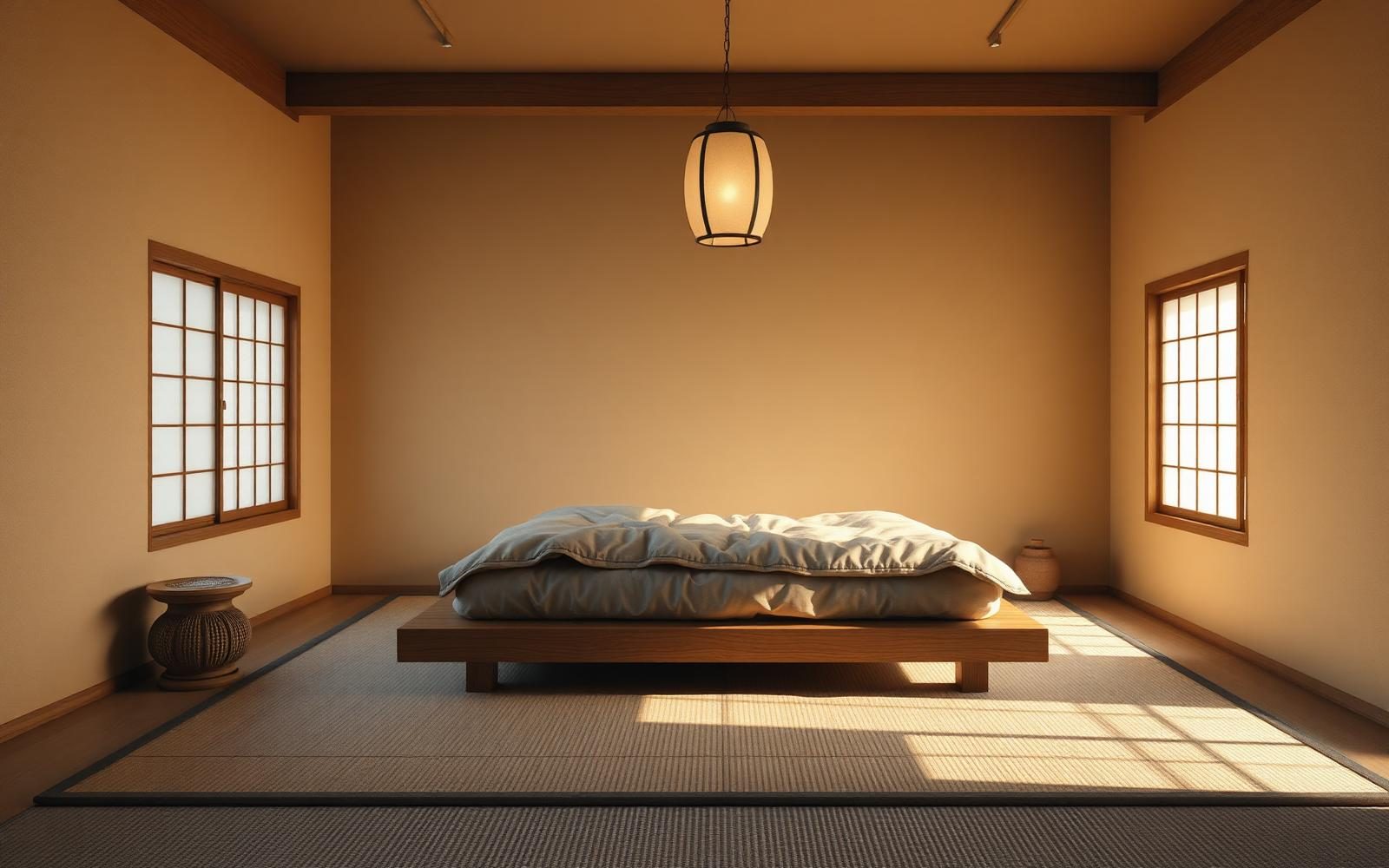
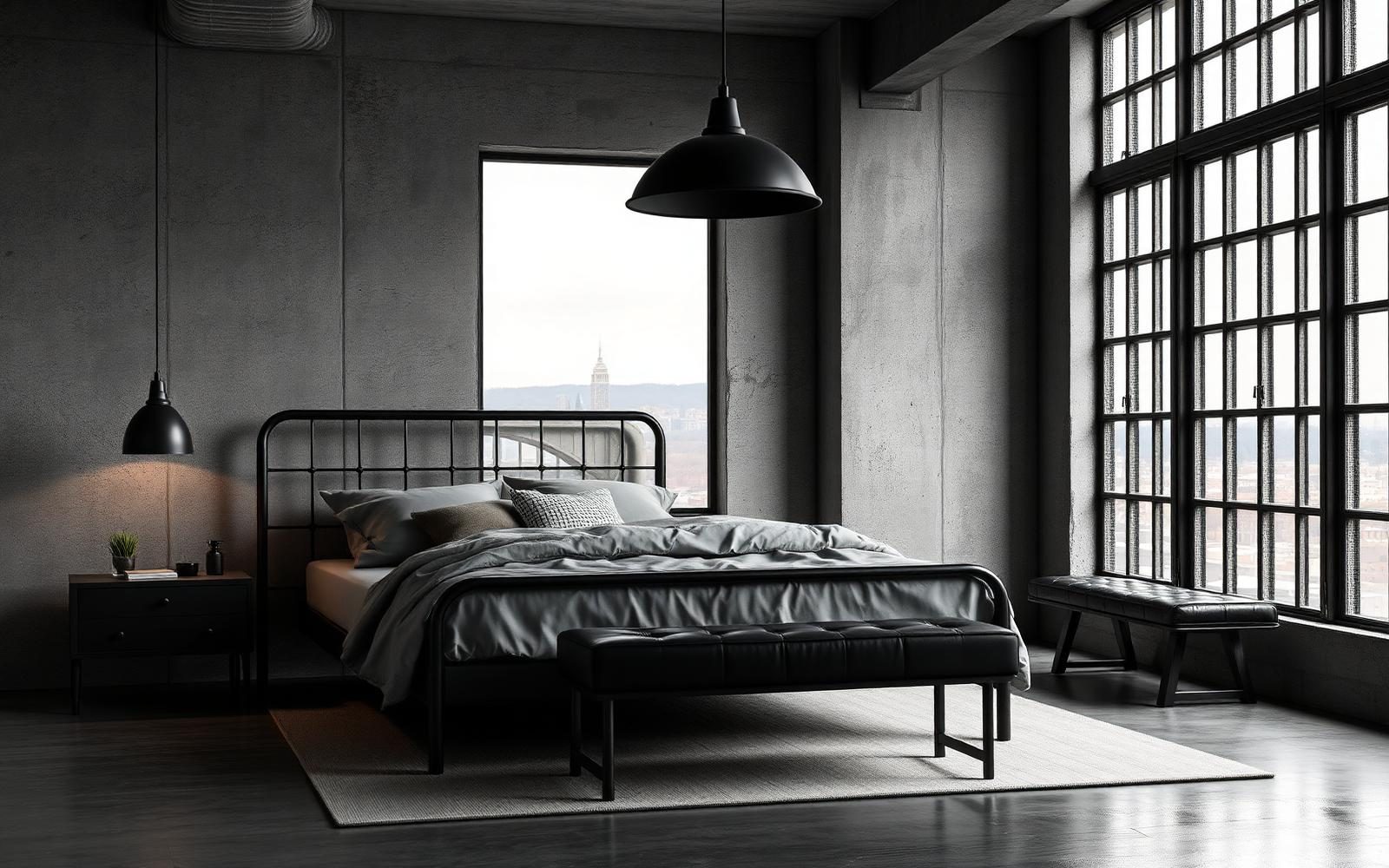
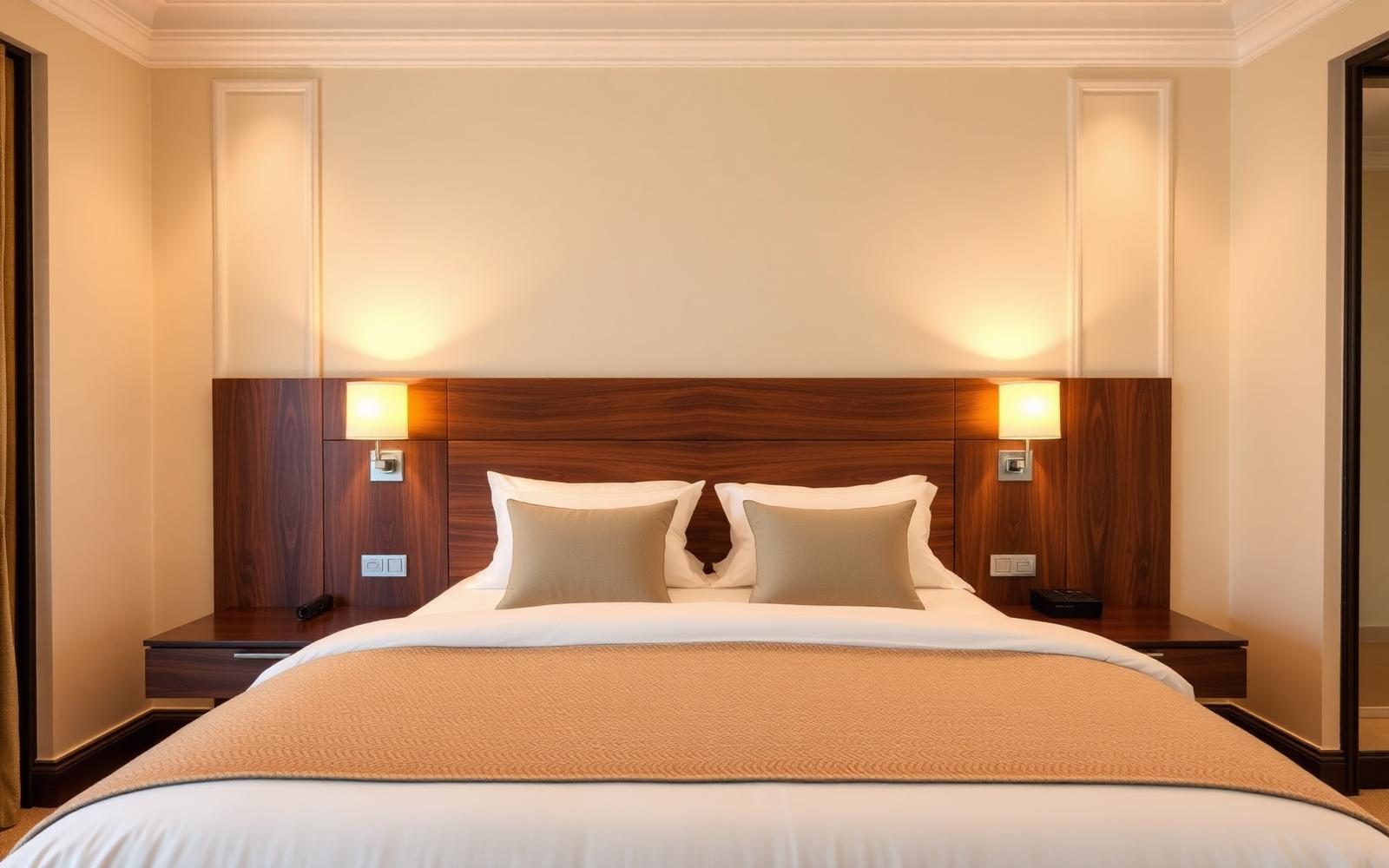
See how AI can transform an existing bedroom into a new visual design concept while keeping the original room architecture and perspective consistent.
A simple functional bedroom transformed with a modern bed, coordinated bedside tables, refined neutral colors, layered lighting, a rug, artwork and contemporary decor.
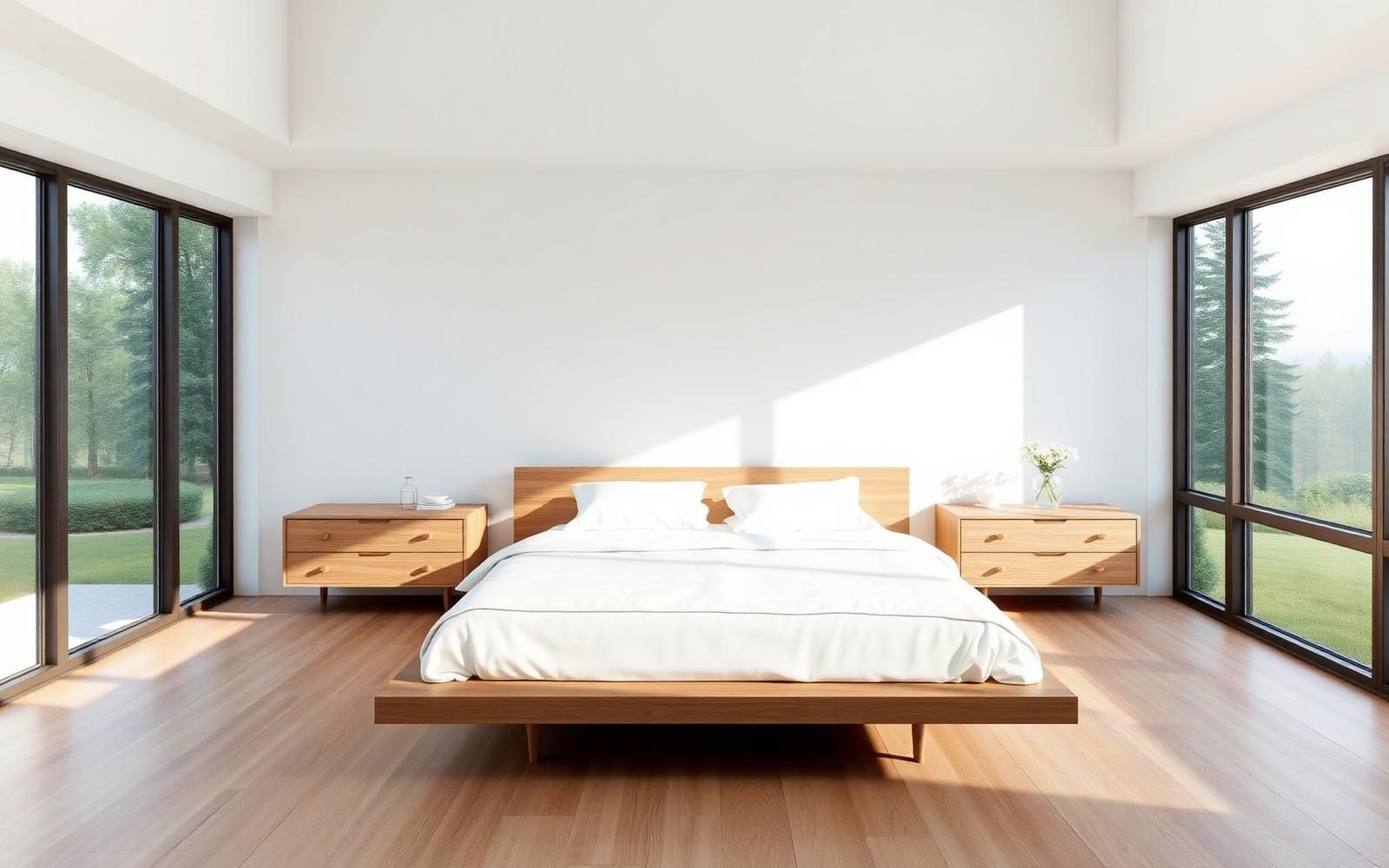
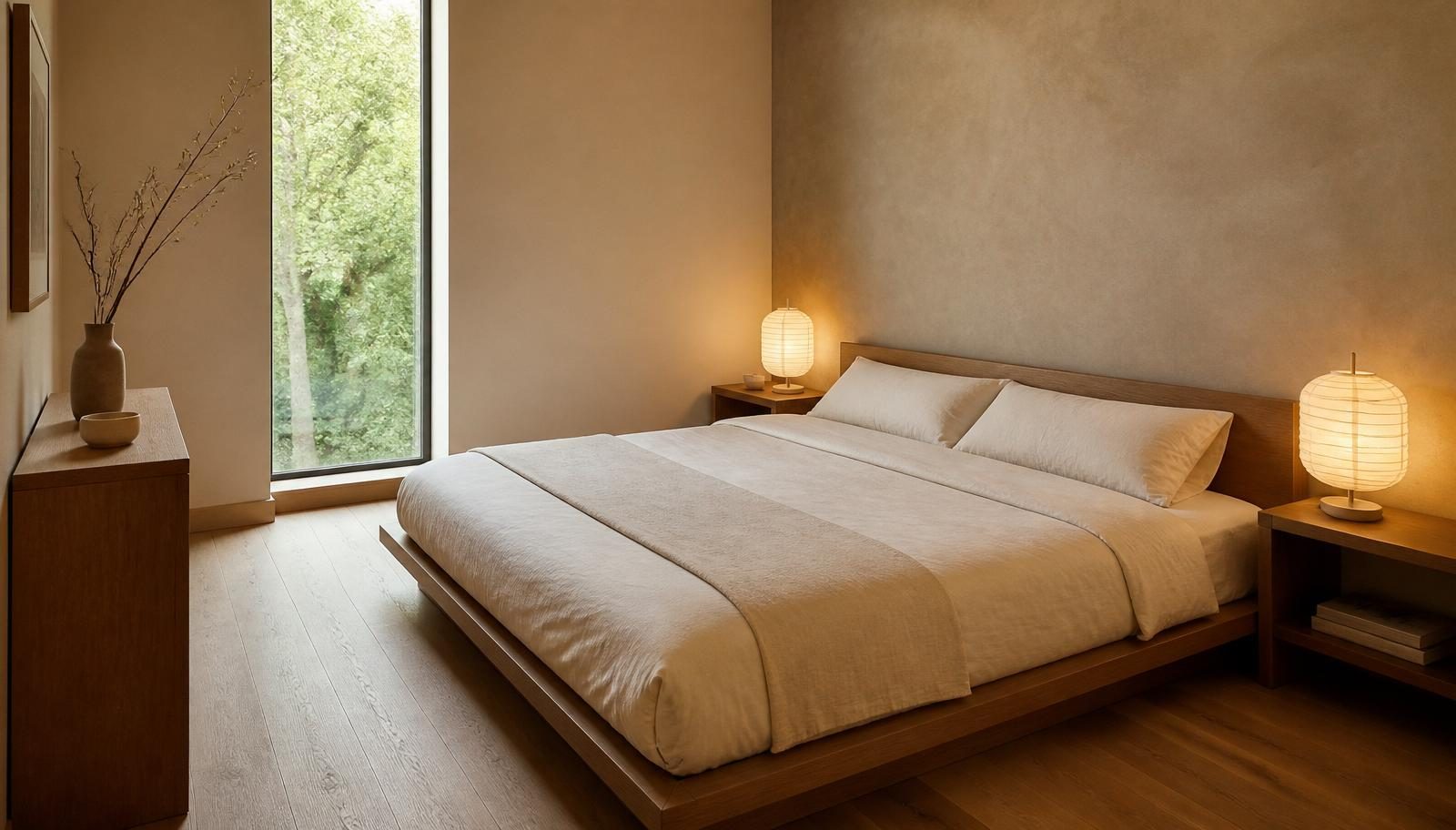
A plain bedroom transformed with a low-profile bed, warm oak furniture, natural linen bedding, calm neutral colors, subtle wall texture and minimal decor.
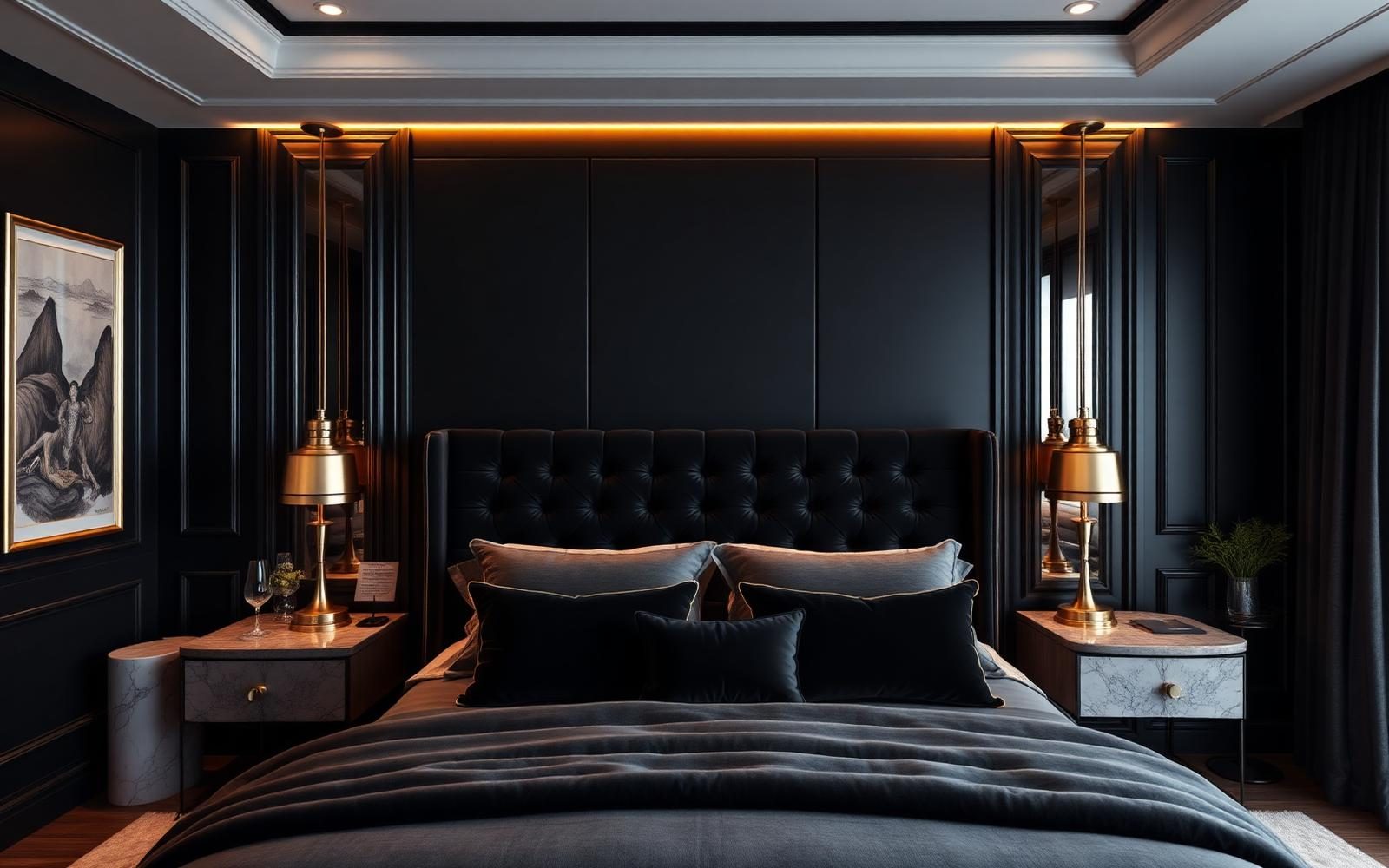
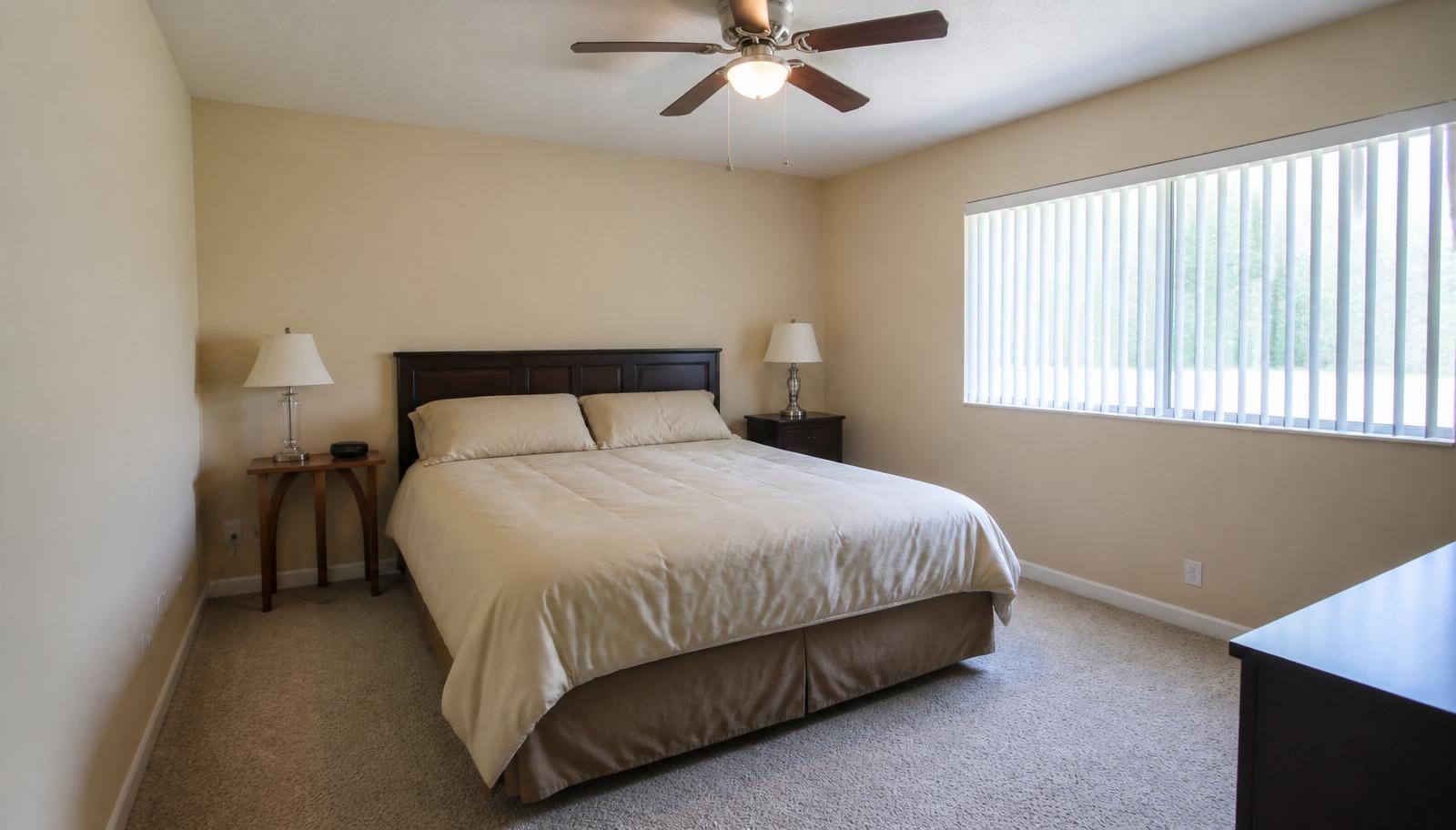
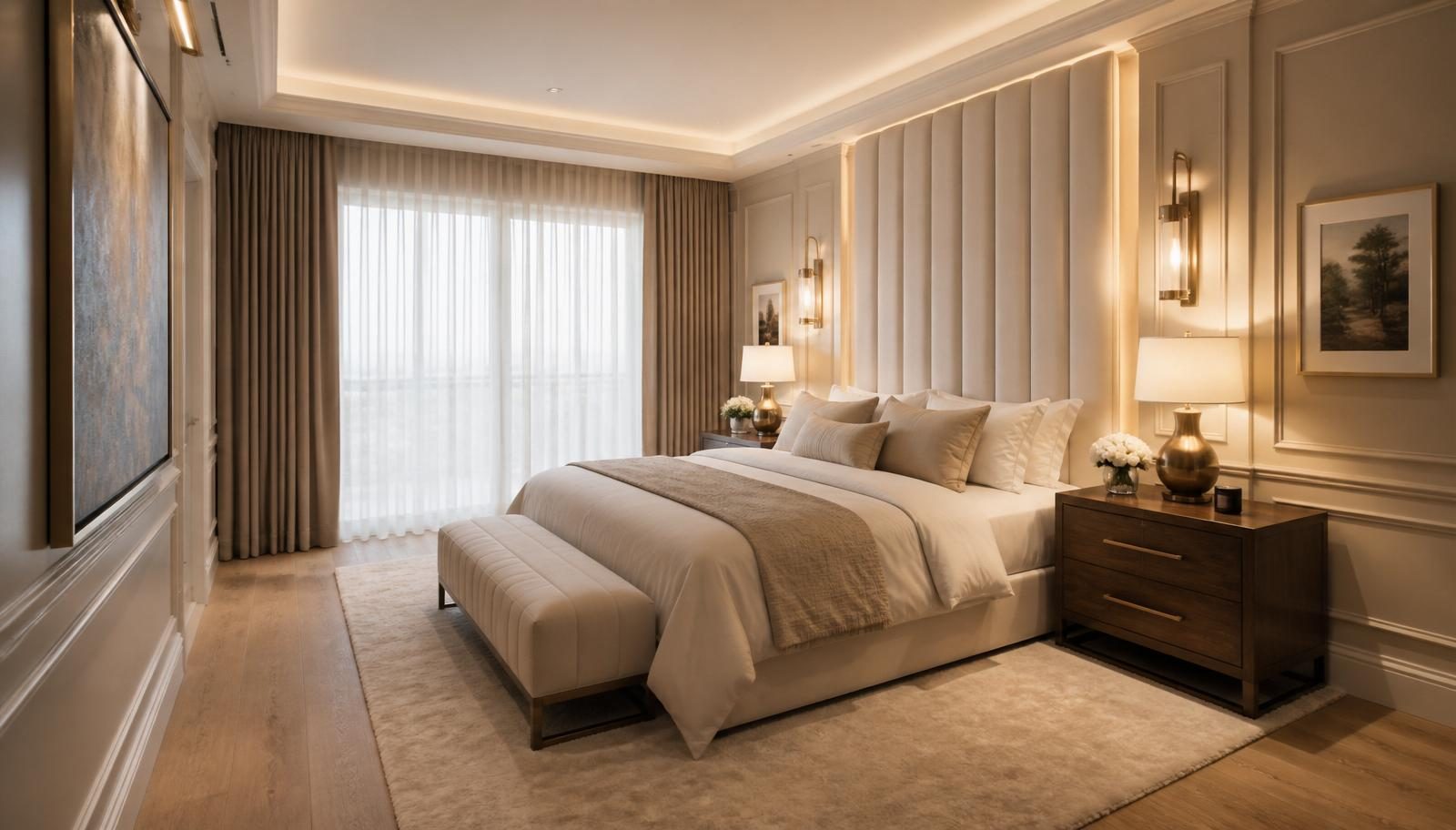
A standard bedroom reimagined with an upholstered statement headboard, premium-looking materials, sophisticated wall treatment, elegant bedside furniture, layered lighting and luxury hotel-inspired styling.
Upload a clear photo showing the room layout, bed area, windows, doors and major furniture.
Choose your bedroom style, furniture, colors, materials, lighting, flooring and other preferences.
Let AI create a visual bedroom redesign based on your photo and selected preferences.
Try different styles, colors, furniture, lighting and materials to compare alternative bedroom concepts.
Preview new bed styles and headboards on your existing bedroom.
Compare bedding styles, layers, colors and textures on the same bed.
Explore built-in, sliding, mirrored or open wardrobe ideas.
Add or refresh bedside tables, dressers, benches and reading chairs.
Preview painted, panelled, fluted or upholstered accent walls behind the bed.
Try hardwood, engineered wood, carpet, marble and other flooring options.
Preview warm, cozy, luxury and hotel-style lighting moods and fixtures.
Compare sheer, blackout, layered and floor-to-ceiling window treatments.
Explore neutral, warm, cool, moody and colorful bedroom palettes.
Add artwork, mirrors, plants, rugs and styling to complete the look.
Warm ambient lighting, blackout window treatments and a calm palette support restful sleep.
Built-in wardrobes, under-bed storage and dresser storage help maximize what you can hold.
Light colors, low-profile beds and scaled furniture help a small bedroom feel larger.
Tall upholstered headboards, layered bedding, sconces and premium materials set a hotel tone.
Natural linen, warm wood, soft lamps and layered textiles create a cozy retreat.
A quiet palette, minimal decor and hidden storage keep the room visually calm.
A compact desk, dedicated task light and clear separation keep work and rest balanced.
Soft cozy lighting, calm colors and a reading corner support a relaxing atmosphere.
The AI Bedroom Designer is a visual concept tool that helps you explore how an existing bedroom could look with different furniture, colors, materials, walls, flooring, lighting, storage and decor.
Upload a bedroom photo, customize the visual direction, and generate a photorealistic redesign of the same space. Generated designs are visualization concepts, not architectural plans, construction drawings, engineering documents, electrical plans or professional quotations.
For structural changes, electrical work, built-in furniture installation or construction, consult appropriately qualified professionals. You can also try our related tools for the wider interior, wardrobes, lighting and flooring.
Clean bedroom lines, neutral palette, refined headboard and subtle layered lighting.
Light wood bedroom furniture, soft neutral textiles and abundant natural daylight.
Low-profile bed, warm oak, natural linen and a calm quiet bedroom palette.
Upholstered statement headboard, premium materials and sophisticated lighting.
Layered textiles, warm colors and relaxed styling for a personal bedroom.
Current bedroom styling with balanced proportions and refined finishes.
Actual bedroom costs vary significantly by country, city, room size, furniture, wardrobes, custom joinery, flooring, lighting, materials, labor, installation and project scope. Use these tiers as a general guide to scope, not a professional quotation.
Paint, bedding, curtains, lighting, decor and limited furniture updates.
New bed or headboard, bedside furniture, rug, lighting, wall treatments and moderate storage improvements.
Higher-quality furniture concepts, custom-looking wardrobe, premium materials and layered lighting.
Bespoke-looking joinery, premium materials, statement headboard, sophisticated lighting and high-end styling.
Results are visual concepts intended for inspiration and early planning.
Upload your bedroom photo, customize the style and features you want to explore, and create a personalized AI bedroom design concept.
AI bedroom design uses machine learning to turn a photo of your existing bedroom into a photorealistic redesign in your chosen style, furniture, colors, materials and lighting.
You upload a bedroom photo, choose your preferences, and the AI generates a new image of the same bedroom that reflects those choices while keeping the original room perspective.
Yes. Upload a clear, wide photo of your bedroom and the AI will produce a redesigned visual based on your selected style and options.
Yes. Upload a photo of your current bedroom and the AI can restyle the bed, furniture, walls, flooring, lighting and decor while preserving the room structure.
Yes. Preserve Bed Position is enabled by default when a bed is visible, and Keep Existing Position is the default bed placement.
Yes. Choose new bed styles, headboards, bedside tables, wardrobes and additional furniture to visualize alternatives on the same room.
Yes. Pick a color palette or use Custom to describe your preferred bedroom colors and generate options to compare.
Yes. Choose from built-in, sliding, mirrored, walk-in or open wardrobe options where the visible room can realistically fit them.
Yes. Set Storage priority to under-bed, built-in, dresser or maximum storage and the AI visualizes appropriate storage solutions.
Yes. Set the size to Small and the AI keeps furniture scale, wardrobe size and layout realistic for the available space.
Yes. Choose a lighting mood and optional fixtures to preview how warm, cozy, luxury or hotel-style lighting changes the atmosphere.
Modern, Luxury, Scandinavian, Industrial, Minimalist, Japandi, Contemporary, Traditional, Rustic, Bohemian, Mid Century Modern, Coastal, Farmhouse, Art Deco, Mediterranean and Modern Luxury.
Yes. Every AI tool on DecoEpoch, including the AI Bedroom Designer, is free to use with no signup or payment required.
You can upload JPG, PNG and WEBP images up to 12 MB. A well-lit wide photo taken from the doorway or a corner produces the best results.
No. The results are visual concepts. For structural changes, electrical work, built-in furniture installation or construction, consult appropriately qualified professionals.
Upload any bedroom, dressing room or walk-in closet photo and redesign only the wardrobes with AI, sliding, walk-in, mirrored, luxury and custom wardrobes.
Upload any room photo and redesign the lighting with AI, ceiling lights, pendants, chandeliers, LED strips, spots, lamps and layered ambient, task and accent lighting.
Upload a room or house photo and instantly preview interior or exterior paint colors with AI before painting.
Upload any room photo and redesign only the flooring with AI, hardwood, marble, tile, vinyl, laminate, stone and luxury flooring with realistic textures and patterns.
Upload a room or exterior photo and preview different flooring, wall, countertop, cabinet, roof, and exterior materials with AI before renovation.
Upload a photo of any indoor space and redesign it with AI, rooms, styles, palettes, materials, furniture and lighting.
Small bedrooms don't need more light. They need light in the right layers. Here's how to fix a cramped, flat-lit bedroom with three fixtures and one bulb spec change.
Most renovations blow the budget for the same reason: people plan for what they'll spend, not what they'll be asked to spend. Here's how to build a budget that survives contact with reality.
White kitchens are safe. They're also everywhere. Here are 8 kitchen color combinations that still look modern, plus the one rule about undertones almost nobody follows.